Deploying a portfolio
Deploy every strategy of a portfolio to one or more broker accounts in one go: picking accounts, the preflight, and what happens to each slot.
Picking accounts
From a portfolio's dashboard, Deploy portfolio deploys every slot in one go, to one broker account or to several. The deploy has two steps: Accounts, then Preflight.
Before you start
You need at least one connected and verified broker account (Connecting a cTrader account). An account that needs a re-link, is inactive or is not verified yet can't be picked.
In Accounts, pick up to 20 accounts. Each slot becomes one deployment on each account you pick: three slots on two accounts make six deployments.
Preflight
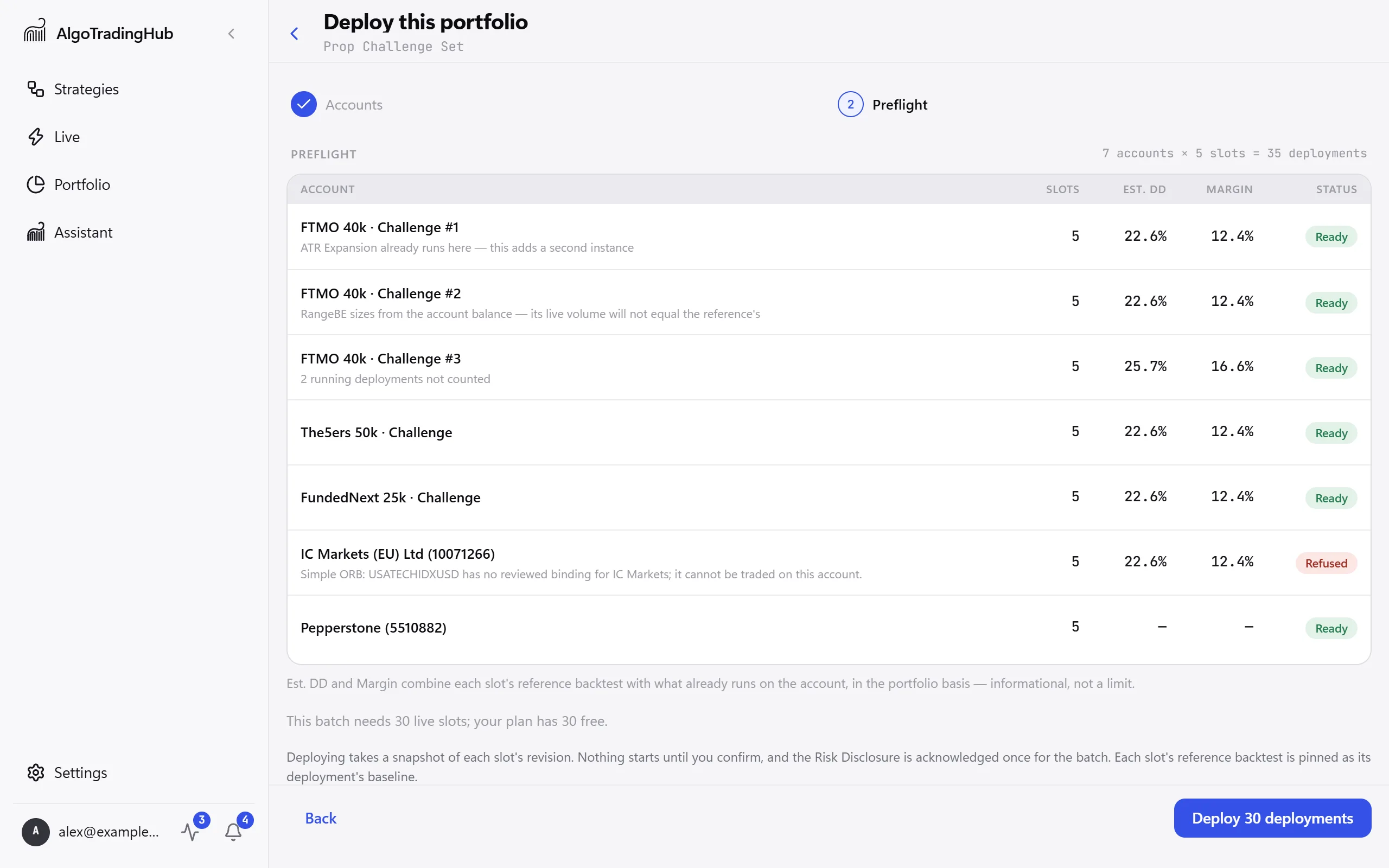
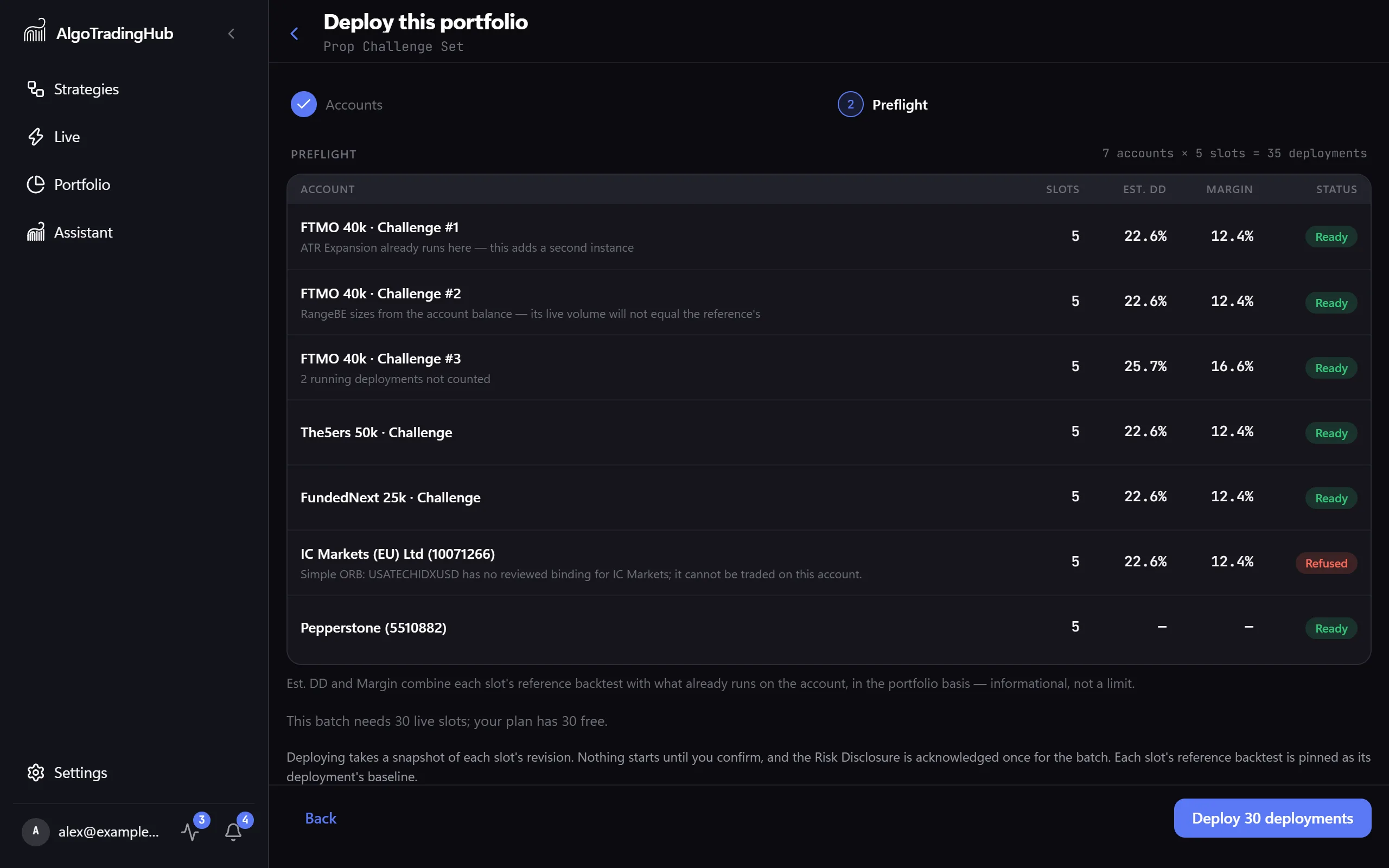
Before anything starts, the preflight checks every account you picked and shows, for each one:
- Est. DD and Margin: the estimated drawdown and margin of the slots' reference backtests combined with what already runs on that account. They are information, not a limit. When the account's balance is known they are read on it, each slot as it sizes (Position sizing): a fixed-size slot keeps its backtest's lots, a growing one is scaled to the account; the row names the balance. If on that balance the account would have been wiped out, the drawdown reads Wiped out and the row says so. If a backtest ran before the platform kept its five-minute account record (or, for a growing strategy, its starting size), the margin is left empty and the row says why: re-run that backtest. When the balance cannot be read, the figures are on the backtests' own deposits, and the row flags each strategy that sizes from the balance: its live volume will not match its backtest's.
- Status: Ready, or Refused with the reason.
An account is refused for the same reasons a single deploy is refused (see Deploying a strategy), for example a slot whose instrument the broker doesn't carry, or a netting account (deploying to netting accounts is turned off for now). An account takes all of the portfolio or none of it: one refused slot refuses the whole account, and the other accounts still deploy.
The preflight also checks:
- Your free live slots. It counts what the whole batch needs against what your plan has free. If the batch needs more, deploy to fewer accounts, stop a deployment, or add live strategies to your plan.
- Our live capacity. If our live servers are full, nothing is deployed and you can try again later.
- The account's drawdown limit. An account whose Overall limit is near its cap gets a note and still deploys. An account whose Overall limit was reached is refused until you reactivate the limit (Drawdown limits). An account held by a daily, weekly or monthly limit gets a note with the end of the hold and the limit that set it, and still deploys: its new deployments open no position until the hold ends.
Some slots also carry a note, for example a strategy that sizes its trades from the account balance: its live volume will not equal its reference backtest's.
Deploying
- Read the preflight, then choose the deploy button.
- Accept the Risk Disclosure if the app asks for it. You accept it once for the whole batch, not once per deployment.
- The results list each account, with the deployments created, restarted or left as they were, and any account that was refused.
If the deploy doesn't finish, Retry sends the same batch again. Retrying never deploys twice to the same account: what was already deployed stays as it is, and only the rest is done.
After deploying, each new deployment first loads price history from the broker before it can trade.
How it worksLive executionWhat happens when a deployment starts, before its first tradeWhat happens to each slot
- The revision is fixed at deploy time. Each deployment runs the revision its slot's reference backtest ran. Editing the strategy afterwards doesn't change what runs.
- The reference backtest becomes the drift baseline. Each new deployment gets its slot's reference backtest pinned as its baseline, with the default thresholds, when that backtest ran in the account's currency; otherwise no baseline is pinned and you pick one later (Drift alerts).
- The new deployments are not linked to the portfolio's slots. To blend one account's live results into the portfolio, link its deployments to the slots in the portfolio editor (Portfolios).
Strategies already running or stopped
The deploy looks at what each account already holds, slot by slot:
| On the account already | What the deploy does |
|---|---|
| Nothing for this slot's revision | Starts a new deployment, with its baseline pinned. |
| A stopped deployment of this revision | Restarts it, with its trades and history kept. It keeps the baseline it had. |
| A running or paused deployment of this revision | Leaves it as it is: no second copy, and it uses no extra live slot. |
| A deployment of another revision of the strategy | Adds the slot's revision beside it, as a second instance. |
A restarted deployment uses a live slot, like a new one. If a copy of a slot's revision starts on the account while the deploy runs (from another tab, say), that account is refused and nothing of it is written: deploy again and it is counted as already running.
Questions?support@algotradinghub.io