Deploying a strategy
The four-step deploy wizard — strategy, revision, Fit, risks — what each step decides, every reason a deploy is refused, and what happens next.
Before you deploy
Before you start
Run a backtest of the revision you are going to deploy, and pin it as the strategy's reference with {{ui:strategy.runs.backtests.pin}} on its {{ui:strategy.workspace.stage.backtests}} tab. That finished backtest is what the Fit step measures and what drift alerts compare live trading against.
You also need:
- a connected, verified cTrader account (Connecting a cTrader account);
- a free live slot. Each running or paused deployment takes one of your plan's live strategies: 1 on the base plan (the trial too), up to 40 with the live strategies add-on (Plans and usage).
The wizard opens from a strategy (its Deploy tab) or from an account (Deploy a strategy). Its four steps are Strategy, Revision, Fit and Risks & deploy. Nothing starts until the last step.
1 Strategy
Pick what to pair: the account, when you started from a strategy, or the strategy, when you started from an account.
- Only strategies and accounts with the same Hedged or Netting model can be paired; the others are listed as not eligible, with the reason.
- Deploying to a netting account is turned off for now: netting accounts and netting strategies are not offered (netting accounts).
- An account that is not verified yet must be verified first: Verify this account before deploying to it.
2 Revision
Choose which revision runs: a saved revision, or the working copy — what the editor shows now, saved as a new revision when it deploys.
The deployment pins that revision. Later edits to the strategy never reach it; to run them, deploy again.
The step also says whether the strategy's reference backtest ran this revision. A deployment of the reference's revision is measured against it for drift alerts; for another revision, you pick a baseline on the deployment page later.
3 Fit
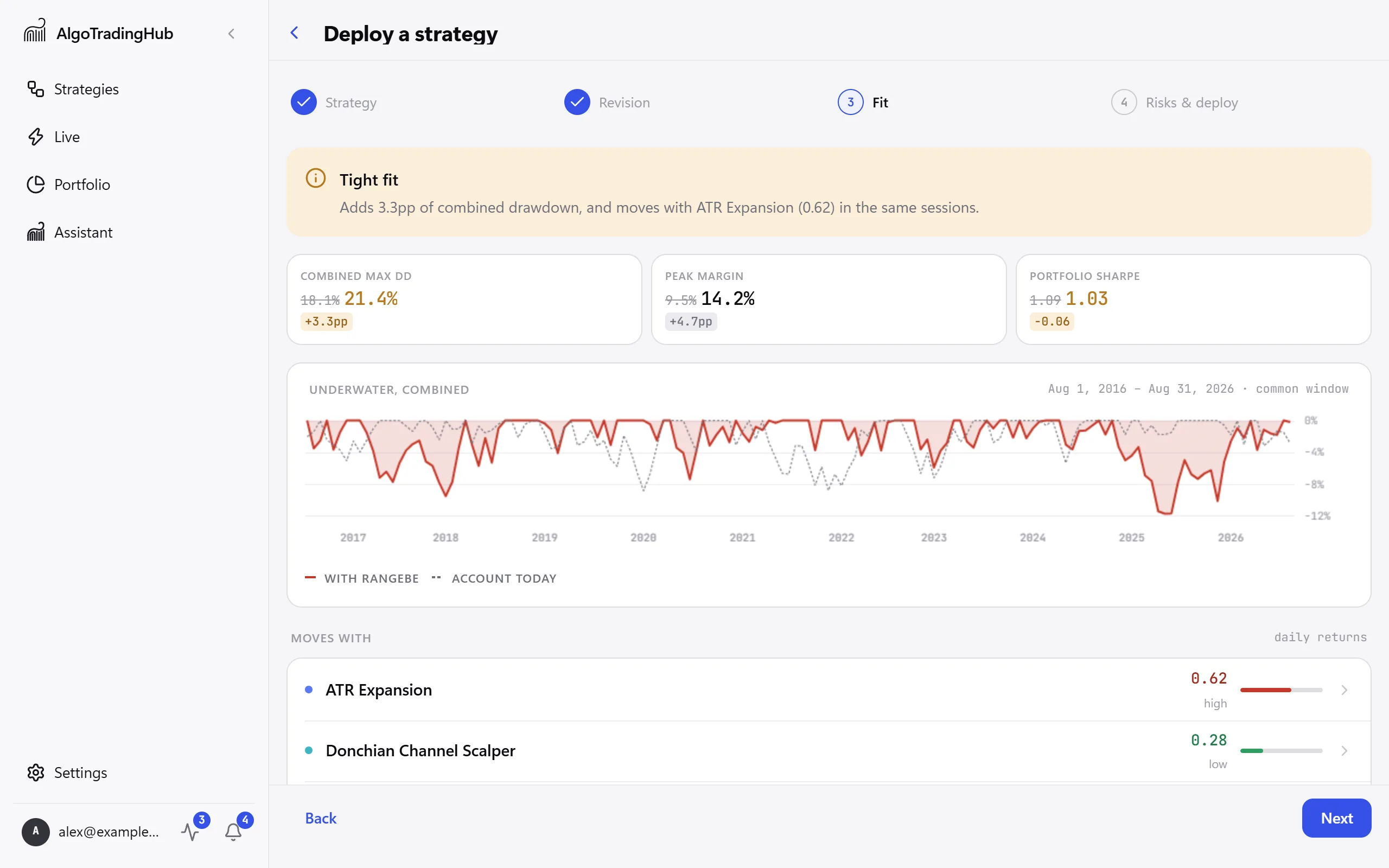
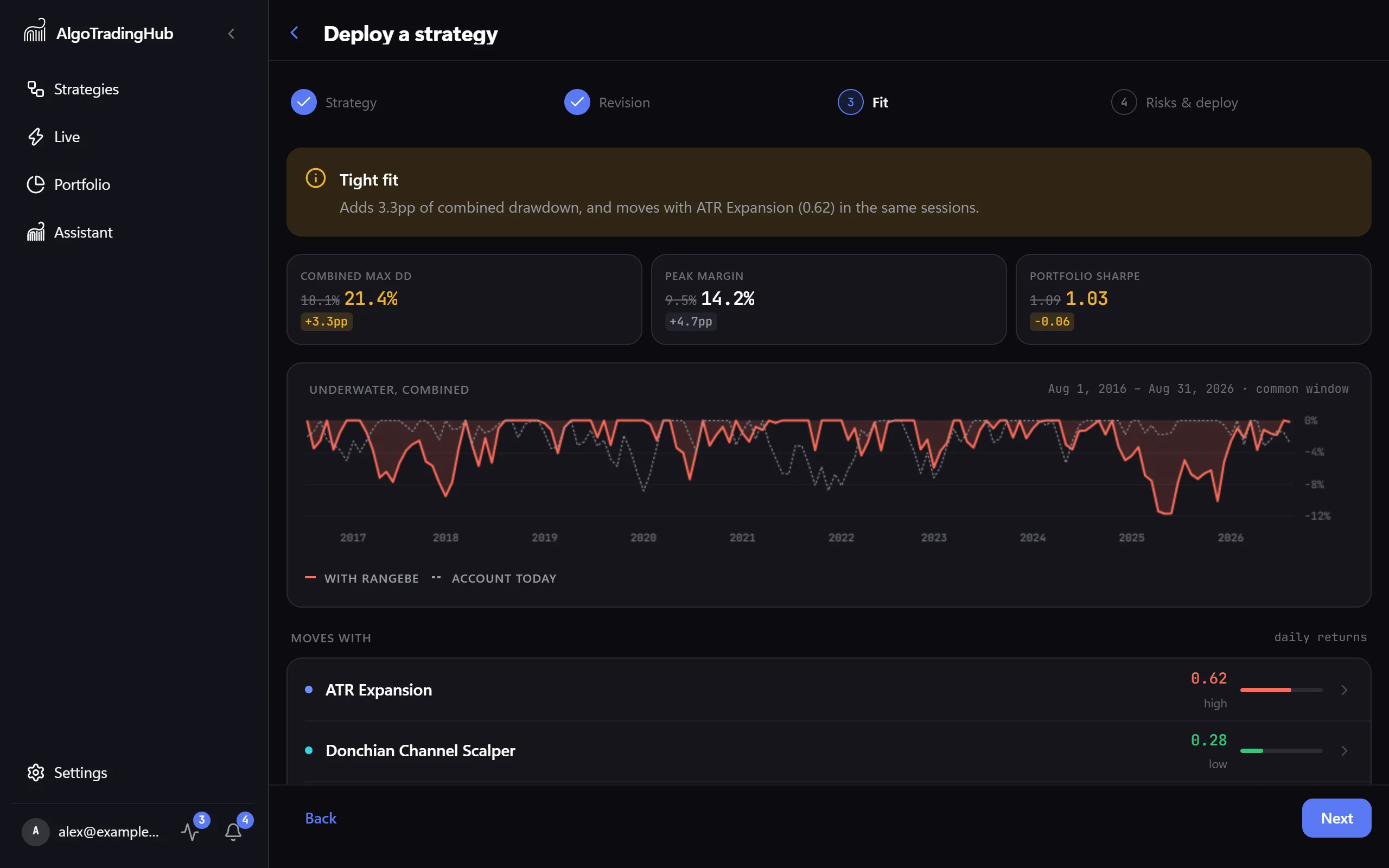
Fit shows how the strategy would sit beside everything already running on the account, measured from the backtests: the new strategy's reference and each running deployment's pinned backtest, each at its own leverage. When the account's balance is known, the figures are read on it (the window line names it): a strategy with fixed sizing keeps its backtest's lots, so on an account smaller than its backtest's deposit it moves a bigger share of it; one that sizes from the balance is scaled to the account. If on that balance the deployments together would have lost everything, Fit says the account would have been wiped out. If a backtest ran before the platform kept its five-minute account record (or, for a strategy that grows with the account, its starting size), the margin cannot be read on the account: the tile stays empty and a warning says so, while the drawdown is still read on it; re-run that backtest.
- Combined max DD — the account's worst combined drawdown, with this strategy added;
- Peak margin — the most margin the deployments together would have locked;
- Portfolio Sharpe — the Sharpe ratio of the combined curve;
- Underwater, combined — the combined drawdown over time, with and without this strategy;
- Moves with — the deployments whose daily returns move with this one. It needs 30 days in common; with fewer, it says so and shows no figure.
Fit is information only. Its verdict (Fits, Tight fit, Poor fit) never blocks a deploy, and neither does a Fit that could not be worked out.
To read several strategies as one account in more depth, use Portfolios.
4 Risks and deploy
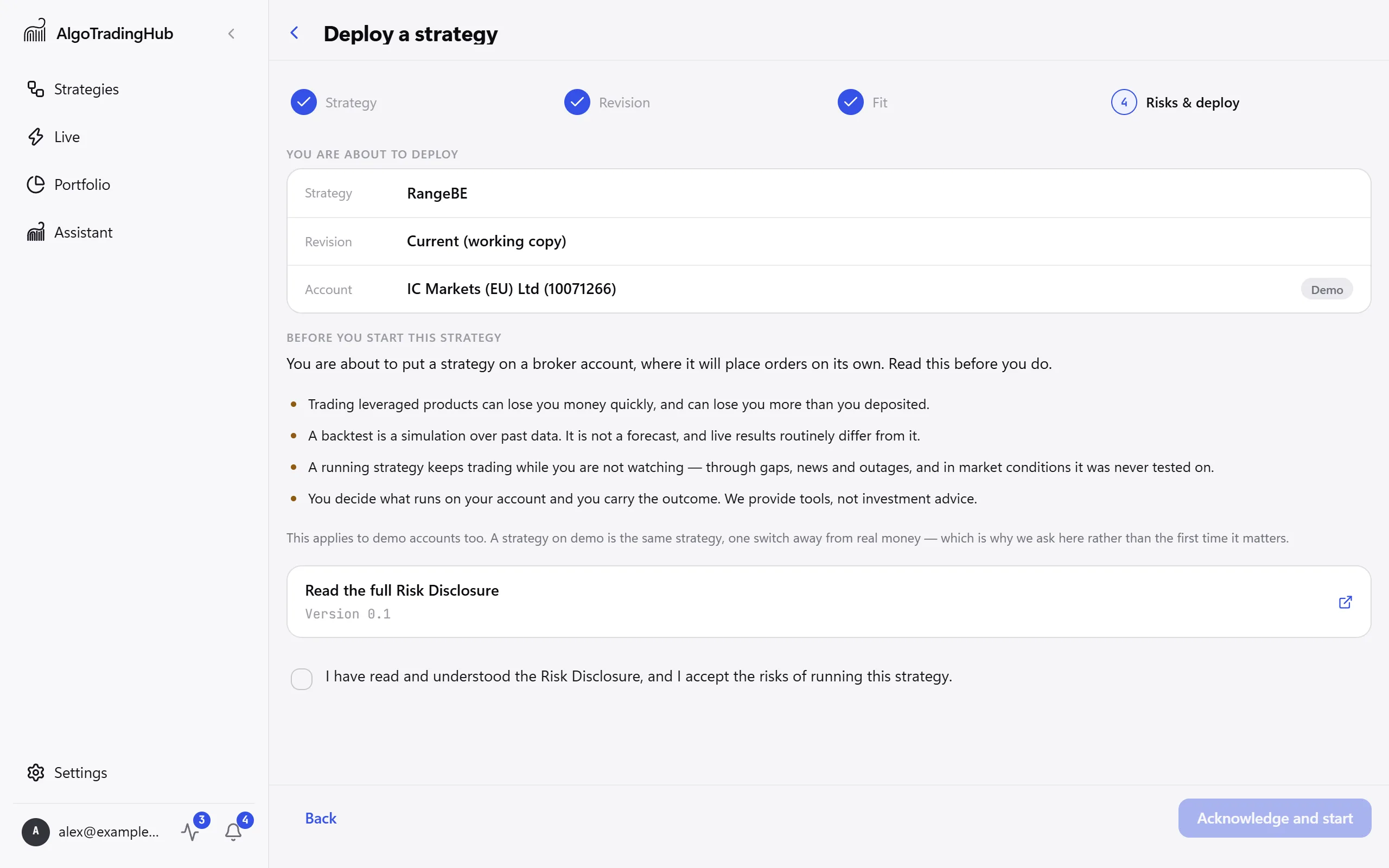
The last step sums up what you are about to deploy: the strategy, the revision and the account.
Before your first deploy, you accept the Risk Disclosure. You accept it once per version: when it changes, you are asked again at your next deploy. Then choose Deploy strategy.
Why a deploy can be refused
When a check fails, nothing starts, and the wizard shows the reason on its last step. A deploy is refused when:
- the account is not verified, or its cTrader access needs a re-link;
- the account type doesn't match: the strategy's hedged or netting model differs from the account's;
- the account is a netting account: deploying to one is turned off for now;
- the broker doesn't carry an instrument the strategy trades, or the instrument is an index or a commodity nobody has reviewed at that broker yet (which instruments your broker carries);
- the strategy cannot run as saved: an action lacks a level it needs, such as a volume;
- the strategy is too complex: it is over the per-tick complexity limit, and the message names its heaviest parts;
- you have no free live slot: stop a deployment, or add live strategies to your plan;
- our live capacity is full: nothing is deployed, and we are adding capacity — try again later. Deployments already running are never stopped or paused for this;
- you have not accepted the current Risk Disclosure;
- the account's Overall drawdown limit stopped it, and it has not been reactivated (Drawdown limits);
- on a netting account, another deployment already trades one of the strategy's symbols: two strategies would share one position, so the wizard warns you before you deploy.
Deploying the same revision to the same account twice never makes a second copy: if it is running or paused there, the wizard offers to open or resume it; if it was stopped, deploying restarts it, with its trades and history kept.
How it worksLive executionEvery check before a deployment starts, with the exact messagesAfter you deploy
- The deployment shows Running at once. Before its first trade it loads price history from your broker: as many bars as its indicators need.
- If your broker does not list an instrument, or does not have enough history for it, the deployment refuses to start and shows Failed to start with the reason.
- New positions open only once the first full minute after the start has closed and been checked against your broker's bar for it. If the broker has no bar for that minute (a quiet minute, or a start while the market is closed), the strategy's own bar stands; while the broker cannot be read, new positions wait. Stops, targets and exits work from the first price.
- When the strategy's reference ran the deployed revision, in the account's currency, it is pinned as the deployment's baseline, and drift alerts start watching.
- The strategy's own drawdown limits apply from the first trade (Drawdown limits).
Questions?support@algotradinghub.io